Loading page…
Revit Family
Modern Grey Metal Room Scheduling Display – Steelcase RoomWizard
by Bingfeng Song
About this asset
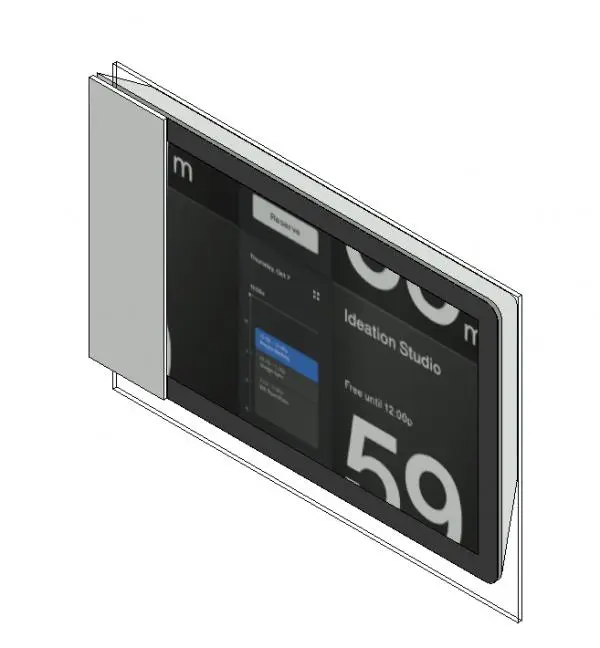
Modern digital room scheduling display family for Revit, featuring a sleek touch interface and glass mounting plate. The unit presents a streamlined interactive touchscreen framed by a compact casing with a distinctive vertical left bezel. A transparent mounting plate sits behind the display housing, engineered for seamless installation on drywall or glazed demountable partitions. The dark digital screen displays scheduling graphics including calendar reservations and studio labels, while the low-profile enclosure minimizes projection into circulation corridors.
The download is a 502 KB file containing a Revit family (.rfa). Load it into a project from the Insert tab with Load Family, then place it like any other component of its category; it schedules and tags with the rest of your model.
Load this specialty equipment family directly into your Revit project to populate interior elevations, electrical layouts, and coordination models. Align the device to host partition faces adjacent to conference entrances at standard accessibility mounting heights. Material definitions for the glass backer and bezel can be mapped to corporate standards or visualised directly in coordination views.
Primarily intended for corporate office fit-outs, commercial headquarters, and higher-education facilities, this interactive panel installs beside conference rooms, huddle spaces, boardrooms, and focus booths. It serves as an essential visual detail for architects, interior designers, and MEP consultants coordinating telecommunication systems, door hardware packages, and modern workplace sign-in equipment.