Loading page…
Revit Family
Grey Plasma Screen Display – NEC
by Matthew Noe
About this asset
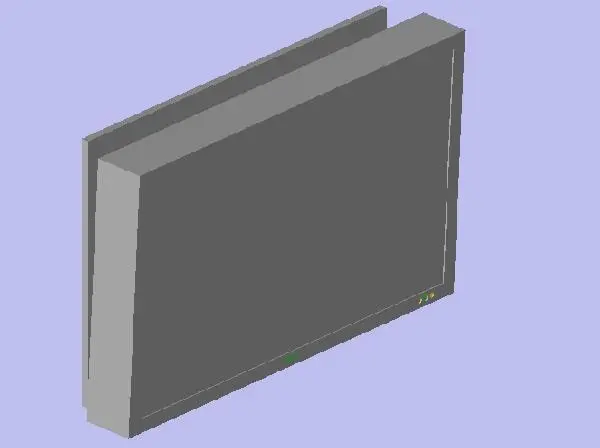
Designed for commercial and residential AV schemes, this grey plasma screen display Revit family provides clean rectangular geometry for spatial planning. Constructed as a compact rectangular unit, the display features a uniform grey bezel framing a central dark grey screen face. A rear offset plate or back box geometry indicates mounting depth clearance from wall surfaces. Subtle status indicator details are modeled along the lower corner of the front frame. The overall form maintains crisp edges and block volumes characteristic of lightweight digital equipment models, keeping polygon counts low while accurately representing physical spatial clearance, overall unit thickness, and frontal display proportions across elevations, sections, and 3D perspectives.
The download is a 92 KB file containing a Revit family (.rfa). Load it into a project from the Insert tab with Load Family, then place it like any other component of its category; it schedules and tags with the rest of your model.
In Revit projects, load this specialty equipment family directly into your model to coordinate audio-visual layouts with interior elevations and electrical drawings. Place the unit along partition walls or millwork backings, adjusting mounting heights to clear furniture. Assign appropriate subcategories or custom shared parameters to integrate the component into equipment schedules, power connection notes, and AV documentation.
Suited to corporate boardrooms, conference rooms, home theatres, reception lounges, and executive offices, this flat screen monitor serves schematic design and spatial coordination workflows. Architects and MEP consultants can pair it with conference tables, media credenzas, and wall panel assemblies. Search terms for this asset include wall mounted screen, flat panel display, AV equipment family, and presentation monitor.