Loading page…
Revit Family
Text Tool for Schedule Comments
by Sanya Casshyap
About this asset
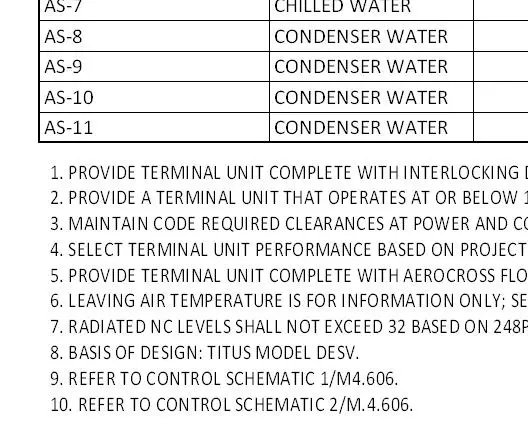
This Revit annotation family provides a standardized text tool for managing schedule comments and mechanical notes in native Revit projects. The Text Tool for Schedule Comments is a specialized Revit annotation family developed to streamline the inclusion of standardized project notes within schedules. It allows users to quickly insert pre-formatted technical specifications, basis of design references, and control schematic links directly into project documentation. The tool supports multi-line text entries, ensuring consistent formatting across various mechanical and equipment schedules. By centralizing these common annotations, the family reduces the need for repetitive manual input and helps maintain uniformity in project documentation, particularly for complex terminal unit or equipment-heavy mechanical schedules.
The download is a 143 KB file containing a Revit family (.rfa). Load it into a project from the Insert tab with Load Family, then place it like any other component of its category; it schedules and tags with the rest of your model.
To integrate this tool, load the family into your Revit project and place it directly into the desired schedule view or onto a drafting view sheet. The text parameters can be easily edited within the properties palette or directly in the schedule interface, allowing for project-specific updates. Users can manage the visibility of these notes through standard visibility/graphics overrides or by grouping them within the schedule's footer or header sections for cleaner project output.