Loading page…
Revit Family
Section Head – Circle with Sheet Reference
by kelvin Flores
About this asset
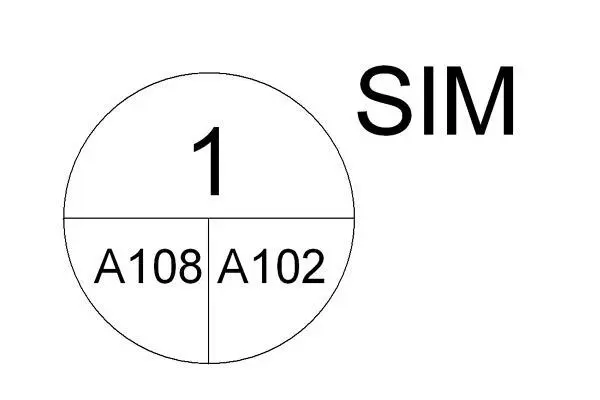
This Revit annotation family provides a circular section head with integrated sheet referencing for professional construction documentation. The circular section head is a standard annotation component designed for clear, legible cross-referencing within architectural drawing sets. It features a clean, geometric layout with a primary top field for the section number and a split lower field to display the detail number and corresponding sheet reference. The design prioritises technical clarity, using standard sans-serif typography that remains readable at small scales. This symbol is essential for maintaining consistent documentation standards across large-scale projects, ensuring that all section cuts and call-outs are easily identifiable for contractors and consultants during the construction phase.
The download is a 61 KB file containing a Revit family (.rfa). Load it into a project from the Insert tab with Load Family, then place it like any other component of its category; it schedules and tags with the rest of your model.
To implement this annotation, load the family into your project and assign it via the Section Tag type properties within the Section settings. Once active, the label parameters automatically populate based on the section's placement and sheet assignment. Users can adjust the visibility and line weights through the object styles menu to match existing project templates. Ensure the family is nested correctly if customising complex section markers to maintain parametric functionality across multiple view scales.