Loading page…
CAD Drawing
Freehand Sketch Arrow Icon Set
by Danila Babko-Malyi
About this asset
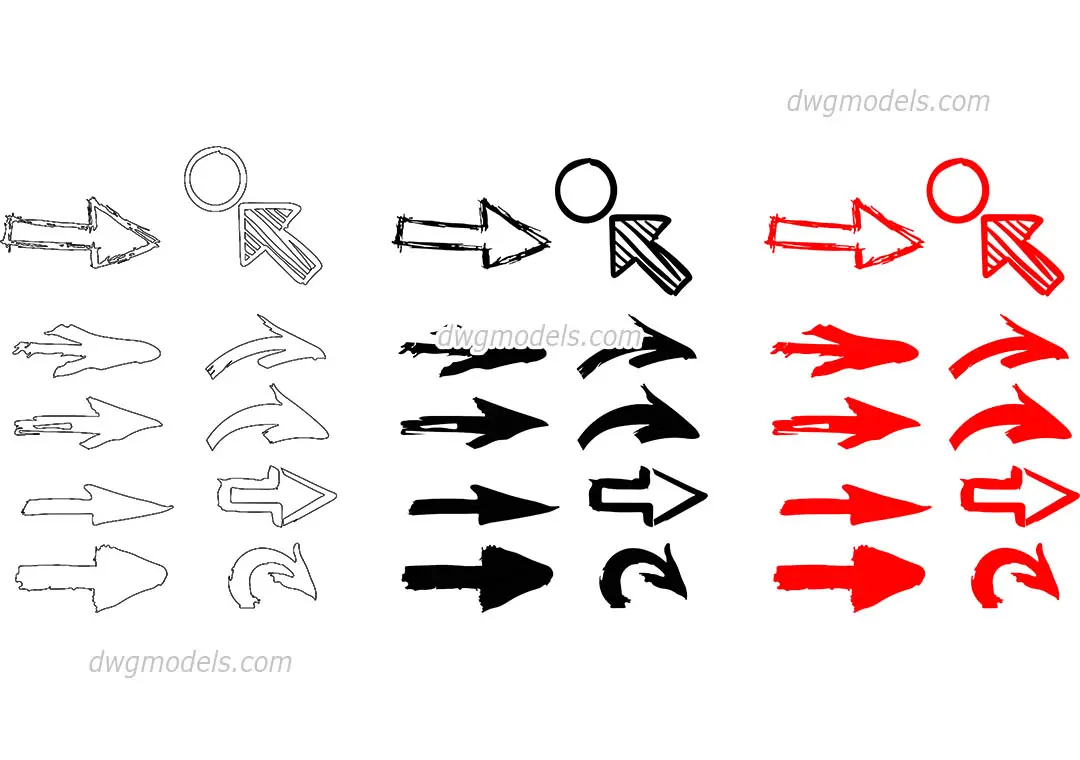
This set of freehand sketch arrow icons in AutoCAD DWG format provides a versatile collection of hand-drawn graphic symbols. This collection features twenty-four distinct arrow designs, encompassing a variety of styles from simple outlines to solid-filled and textured variants. The shapes include straight, curved, and angular configurations, alongside circular indicators. The aesthetic mimics a loose, hand-drawn sketch style, providing a softer, more informal look compared to standard CAD linework. Available in both black and red, these symbols offer high contrast for highlighting specific areas within technical drawings or conceptual diagrams. Each icon is rendered as clean, editable geometry, ensuring they remain lightweight and easy to manipulate within any standard drafting environment.
The download is a 276 KB file containing an AutoCAD drawing (.dwg) drawn in plan holding 24 separate objects. It opens in AutoCAD, BricsCAD, DraftSight and other DWG-compatible CAD programs, ready to insert as blocks into plans and elevations.
Professionals can easily incorporate these symbols into AutoCAD projects by inserting the file as a block or copying the required elements directly into the active drawing space. Because the assets are stored as standard CAD entities, users can scale, rotate, and mirror them to suit specific layout requirements. They are particularly useful for adding emphasis to site plans, floor layouts, or presentation drawings where a more human, communicative touch is required to guide the viewer through complex information or design narratives.