Loading page…
Revit Family
Room Tag Package with Finish Schedules
by Adam Jospehson
About this asset
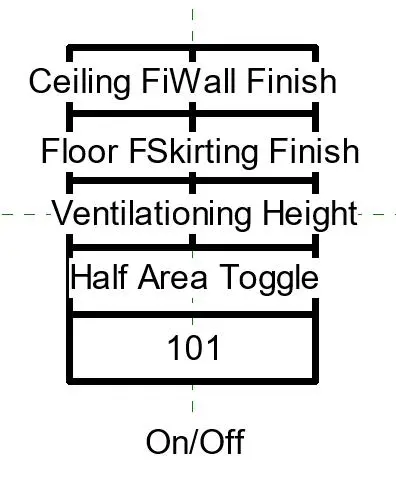
This Revit family is a multifunctional room tag designed for efficient interior finish documentation in architectural projects. This professional-grade Revit annotation family provides a comprehensive framework for room data management. The tag is structured to display critical finish information, including ceiling, wall, and floor specifications, alongside skirting details, ventilation requirements, and a half-area calculation toggle. It features a clear, hierarchical layout that ensures legibility on construction documentation sheets. The design includes a dedicated cell for room numbering, allowing for seamless integration with existing project schedules. Its clean, minimalist aesthetic adheres to standard drafting conventions, making it suitable for a wide range of architectural and interior design project types.
The download is a 420 KB file containing a Revit family (.rfa). Load it into a project from the Insert tab with Load Family, then place it like any other component of its category; it schedules and tags with the rest of your model.
To implement this family, load the RFA file into your project template and assign it to the Room category within the Visibility/Graphics overrides. Use the Type Properties to manage the visibility of individual parameters, allowing you to toggle specific data fields on or off according to the requirements of your floor plan or interior elevation sheets. The tag automatically pulls data from the room instance, ensuring consistency across your BIM model and associated finish schedules.