Loading page…
Revit Family
NCS Level Head Annotation Symbol
by Hasan Bahar, RA, LEED AP BD+C
About this asset
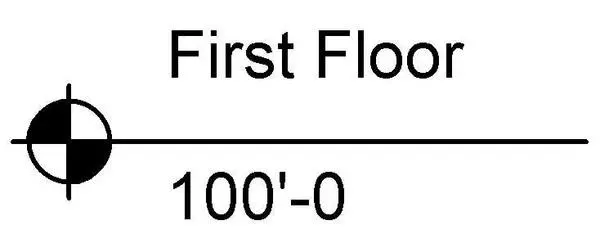
This NCS Level Head is a Revit annotation family designed for clear, professional level marking in architectural documentation. The NCS Level Head is a standard, clean-lined annotation symbol designed for use in Revit project templates. It features a circular marker divided into four quadrants, with alternating solid black fills for high contrast. The family is configured to display both the level name and the elevation value, maintaining a professional appearance consistent with the National CAD Standard. The geometry is vector-based, ensuring crisp lines at any scale, whether utilized in large-scale site plans or detailed interior elevations. It provides a consistent, legible graphical standard for identifying floor levels across all project documentation.
The download is a 164 KB file containing a Revit family (.rfa). Load it into a project from the Insert tab with Load Family, then place it like any other component of its category; it schedules and tags with the rest of your model.
To implement this family, load the RFA file into your project or template and assign it within the Level Type properties under the Symbol parameter. Once loaded, it becomes available for all level lines throughout the project. Users can adjust the associated text labels for floor names and elevation values directly within the model environment. The symbol maintains its orientation and scale relative to the view, ensuring consistent graphical output across all sheets without requiring manual adjustment of the linework.