Loading page…
Revit Family
Monitor 9 Annotation Symbol
by Hande Oney
About this asset
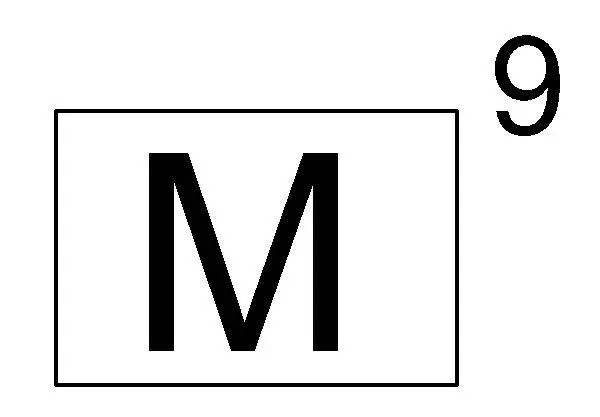
This Monitor 9 annotation symbol for Revit provides a clear, standardised drafting element for project documentation and schedules. The Monitor 9 symbol is a clean, two-dimensional graphic element designed specifically for use within Revit project environments. It features a simple rectangular frame containing a bold, sans-serif letter M, accompanied by the numeral 9 positioned as a superscript to the top right. The geometry is strictly 2D, ensuring that it remains scalable and legible across various drawing scales without adding unnecessary file complexity. This annotation is intended for use in floor plans, electrical layouts, or equipment schedules where clear, consistent identification of specific hardware or monitor units is required for site communication.
The download is a 51 KB file containing a Revit family (.rfa). Load it into a project from the Insert tab with Load Family, then place it like any other component of its category; it schedules and tags with the rest of your model.
To implement this family, load the RFA file into your project and place it directly onto your drafting views or sheets. Because it is a standard annotation family, it will maintain its relative size regardless of the view scale, ensuring consistent output for construction documentation. Users can adjust the placement within the project environment to align with specific equipment locations, ensuring that all technical drawings remain uniform and professional throughout the design and documentation phases.
This symbol is essential for technical documentation in residential, office, and healthcare projects where equipment identification is critical. It is frequently used by architects and MEP engineers to denote monitor locations on electrical plans, furniture layouts, or interior design packages. Professionals searching for drafting symbols, Revit documentation tags, or standard equipment markers will find this asset useful for maintaining clean, readable drawing sets. It pairs effectively with other standard annotation families to create a cohesive, professional look across all project deliverables.