Loading page…
Revit Family
Modifiable Finish Tag Annotation
by Nicholas Ross
About this asset
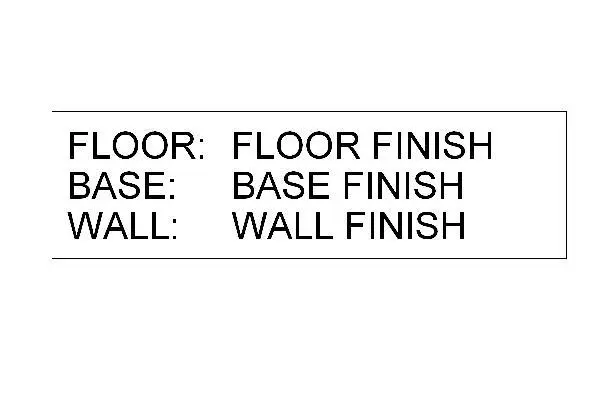
This modifiable finish tag is a native Revit annotation family designed to display floor, base, and wall finish specifications clearly. This annotation family provides a structured, multi-line format for documenting interior finishes directly on floor plans or interior elevation sheets. The layout features three distinct rows labeled for floor, base, and wall finishes, ensuring consistency across construction documentation. It uses standard, legible sans-serif typography, framed by a simple rectangular border. The design is clean and functional, stripping away unnecessary graphic weight to ensure that finish codes or descriptions remain the primary focus within busy drawing sets. The family is fully editable, allowing users to modify the text labels or adjust the bounding box.
The download is a 51 KB file containing a Revit family (.rfa). Load it into a project from the Insert tab with Load Family, then place it like any other component of its category; it schedules and tags with the rest of your model.
To implement this tag, load the family into your project and assign it to the relevant category. Once placed, users can select the tag to populate the finish parameters or link it to room-based data fields for automated scheduling. The text elements are constrained within the family, maintaining alignment even when data strings vary in length. It is recommended to manage these via project-specific view templates to ensure consistent graphic standards across all floor plans and interior finish sheets.