Loading page…
CAD Drawing
Composite Pilaster Classical Architectural Detail
by Linda Beall
About this asset
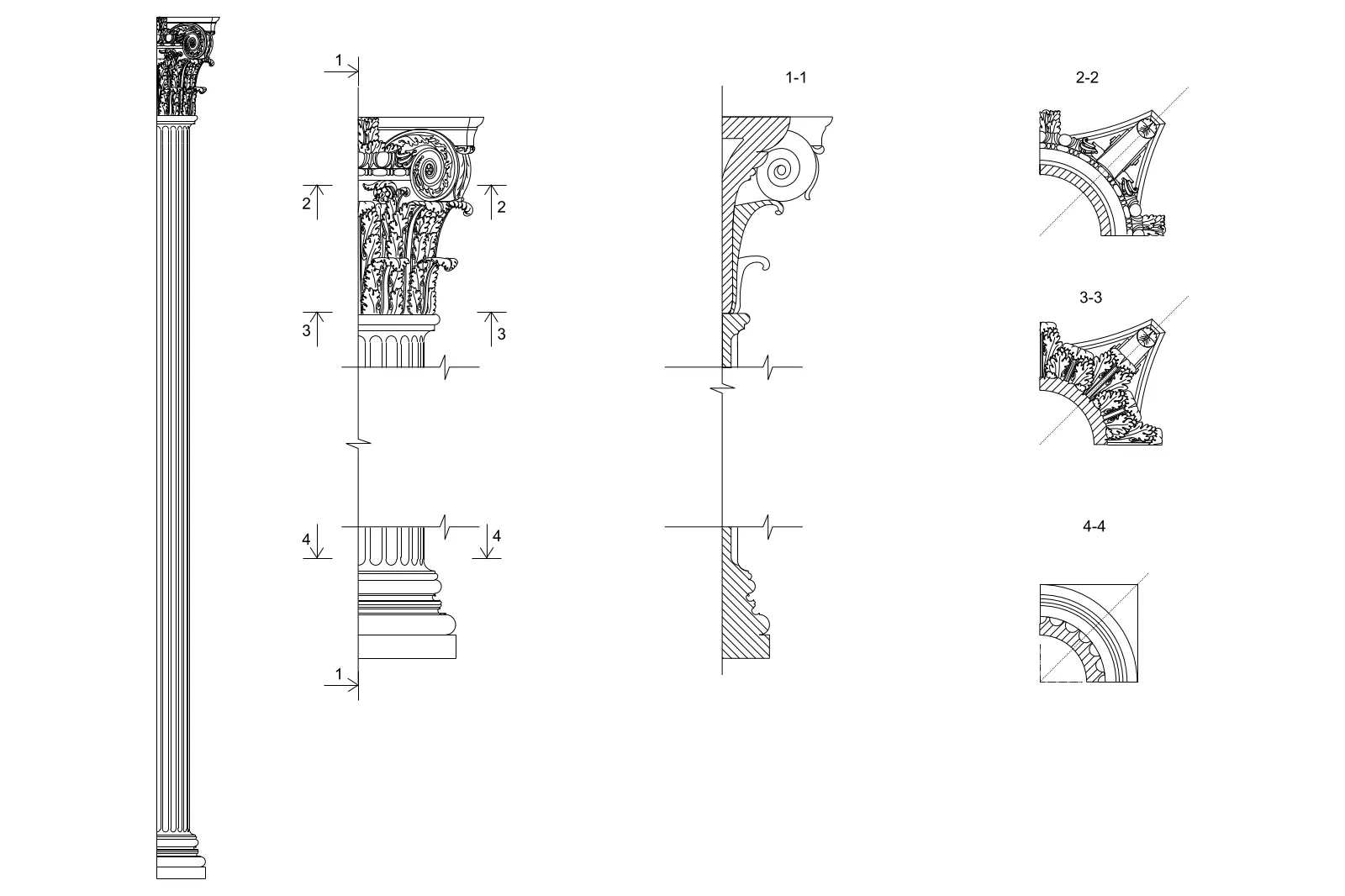
This Composite Pilaster CAD drawing for AutoCAD provides precise 2D geometry of a classical order, featuring detailed section profiles. This technical drawing set illustrates a traditional Composite pilaster, complete with a highly ornate capital featuring volutes and acanthus leaf detailing. The file includes a full elevation view of the fluted pilaster shaft, alongside a vertical section through the entire assembly. Detailed quarter-plan sections are provided at four distinct intervals, clearly defining the geometry of the capital, the shaft, and the base profile. The linework is clean and vector-based, designed to accurately represent the intricate curves and proportions inherent in classical architectural orders for use in construction documentation or historical renovation projects.
The download is a 410 KB file containing an AutoCAD drawing (.dwg) drawn in all views. It opens in AutoCAD, BricsCAD, DraftSight and other DWG-compatible CAD programs, ready to insert as blocks into plans and elevations.
Professionals can integrate this DWG file directly into existing AutoCAD projects by using the insert command or as an external reference. The geometry is organised to allow for easy scaling to match specific project dimensions. Designers should ensure the appropriate linetype scales and layer properties are adjusted to align with the existing drawing standards of the master file. These vector lines are ready for dimensioning or as a base for generating more complex 3D extrusions if required.