Loading page…
Revit Family
Steel I-Beam Structural Member
by Malvin Wibowo
About this asset
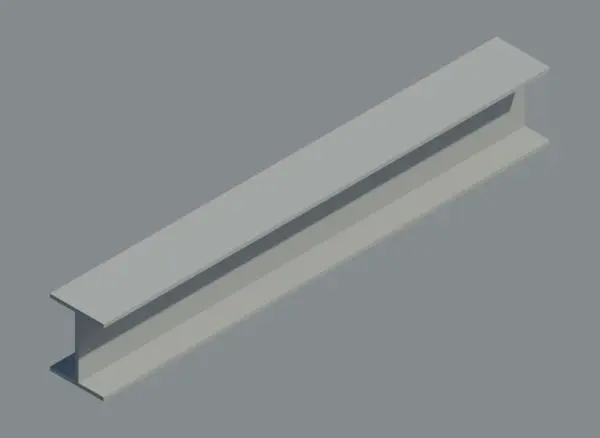
This steel I-beam is a Revit family structural member featuring a standard universal profile for robust load-bearing applications. Designed for structural integrity, this I-beam features a classic H-shaped cross-section with parallel flanges and a central web. The geometry is clean and precise, reflecting standard rolled steel specifications common in heavy construction. Its proportions are optimised for strength, providing a neutral, utilitarian appearance suitable for exposed industrial aesthetics or hidden structural skeletons. The material is represented as a uniform grey steel, allowing for easy assignment of custom physical and thermal properties within a project environment. This component maintains a consistent profile along its length, ensuring clean junctions and connections.
The download is a 297 KB file containing a Revit family (.rfa). Load it into a project from the Insert tab with Load Family, then place it like any other component of its category; it schedules and tags with the rest of your model.
Load this component into a project as a structural framing family. Users can align the beam along grid lines or reference planes, adjusting the span and end offsets to suit specific structural layouts. The family supports standard Revit snapping and joining behaviour, allowing for seamless integration with column and connection families. Material parameters can be managed via the project's object styles or instance-based properties to ensure accurate scheduling and quantity take-offs for structural steel packages.