Loading page…
Revit Family
Circular Crosshair Fire Sprinkler Annotation Symbol
by Andrea Au
About this asset
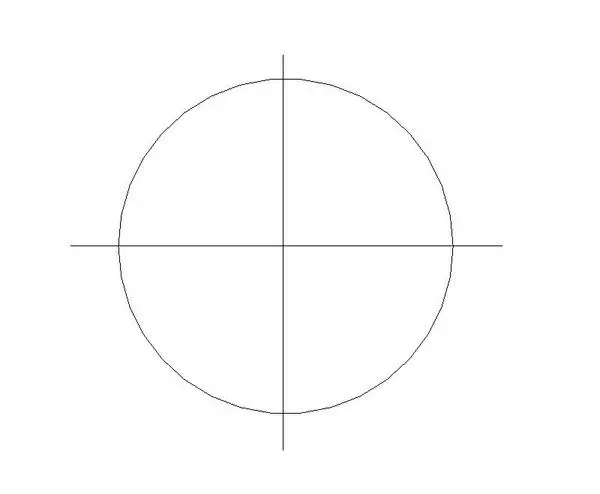
This circular fire protection sprinkler symbol is a 2D annotation Revit family featuring centered orthogonal crosshairs for MEP ceiling layouts. Constructed as a clean graphic element, this fire sprinkler annotation presents a standard circular boundary bisected by vertical and horizontal centerline crosshairs that extend slightly past the perimeter. The line-based geometry prioritises legibility on scaled engineering sheets without complex 3D surface geometry or solid bodies. Its straightforward profile matches standard mechanical and fire protection drafting conventions, providing an unmistakable 2D plan representation for ceiling grid coordination, piping layouts, and schematic fire suppression system plans across technical documentation sets.
The download is a 164 KB file containing a Revit family (.rfa). Load it into a project from the Insert tab with Load Family, then place it like any other component of its category; it schedules and tags with the rest of your model.
Load this RFA family directly into an active project or nest it inside hosted MEP equipment families. In Revit, users can place the symbol across reflected ceiling plans, align it to acoustic tiles, and configure visibility graphics overrides to maintain standardized lineweights. Line styles can be assigned to match project standards for clear printing across various view scales.
Essential for mechanical engineers, fire suppression consultants, and architectural coordinators, this family serves technical workflows in commercial office buildings, healthcare facilities, and educational typologies. It is primarily placed on reflected ceiling plans alongside diffusers and luminaires to ensure code compliance, prevent trade clashes, and streamline construction documentation when issuing life safety and plumbing permit drawings.