Loading page…
Revit Family
Butterfly Valve
by Shuchang Zhou
About this asset
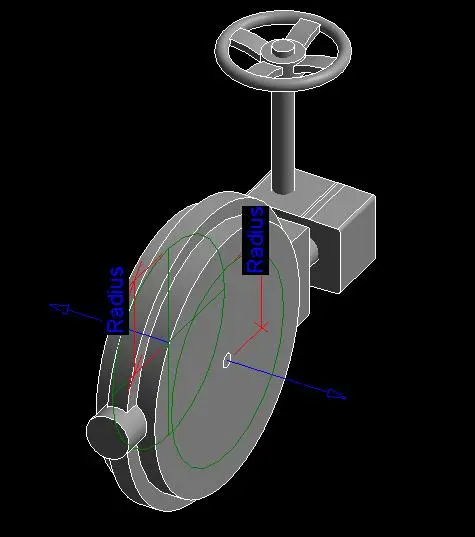
This Revit family of a wafer-style butterfly valve is a technical mechanical component designed for integration into pipework systems. The butterfly valve features a standard wafer-style body, designed for installation between pipe flanges. It includes a manual handwheel operator mounted on a gear housing, which controls the internal disc rotation. The geometry is clean and functional, prioritising MEP coordination requirements over high-poly aesthetic detail. The model includes visible reference planes and radius parameters, indicating its construction as a flexible family for various pipe diameters. The grey metal finish represents a generic industrial steel or cast iron construction, suitable for standard mechanical schedules and BIM documentation workflows where clear, lightweight system representation is essential.
The download is a 1.5 MB file containing a Revit family (.rfa). Load it into a project from the Insert tab with Load Family, then place it like any other component of its category; it schedules and tags with the rest of your model.
Engineers can load this RFA file directly into a project or template, using the provided radius parameters to adjust the valve size to match specific pipe diameters. It is designed to be hosted within piping runs, allowing for easy connection to standard Revit pipe connectors. Users should verify the flow direction settings and ensure the connector parameters align with the project's mechanical system browser requirements for accurate pressure and flow calculations during the design development phase.