Loading page…
Revit Family
Black Freestanding Projection TV Unit
by Sabrina Ellison
About this asset
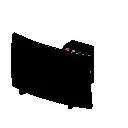
Projection TV Revit family featuring a deep floor-standing cabinet profile, wide screen display, and top control interface accents. Built with a substantial cabinet footprint characteristic of rear-projection displays, this unit features a broad front display face framed by a dark exterior chassis. The upper right casing incorporates a sloped control panel accented with distinct operational buttons in red, cyan, and neutral tones. The pronounced rear depth accommodates simulated internal optics, delivering a self-contained media console layout without requiring separate shelving or secondary projection mounts.
The download is a 51 KB file containing a Revit family (.rfa). Load it into a project from the Insert tab with Load Family, then place it like any other component of its category; it schedules and tags with the rest of your model.
Loaded directly as a native Revit component into host projects, this family inserts smoothly on level planes within living rooms or media lounges. Category settings permit clear visibility overrides across floor plans, interior elevations, and section views. Designers can adjust material finish definitions in the type properties to align dark plastic or glass casing textures with project palette specifications.
Ideally suited for residential media rooms, retro residential renovations, basement home theatres, and institutional audiovisual archives from the late-twentieth-century era. This asset pairs well with lounge seating, low coffee tables, and perimeter shelving units in spatial schemes requiring vintage media hardware. Professionals seeking a projection television model, retro AV equipment, or entertainment appliance block will find it effective for contextual interior fit-outs and space allocations.