Loading page…
Revit Family
Length by Breadth Room Dimension Annotation
by David Maestres
About this asset
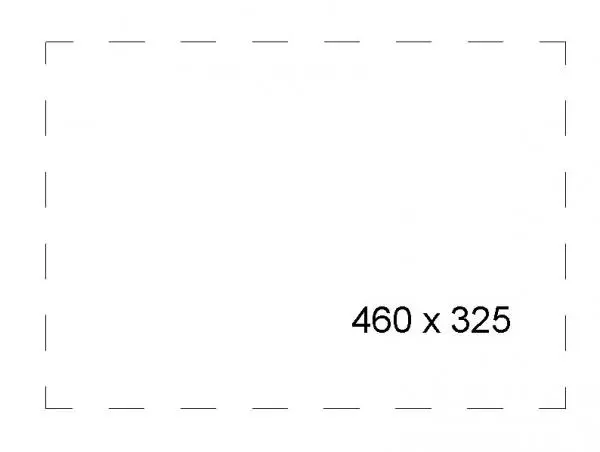
This Revit annotation family provides a clear, parametric method for displaying length by breadth room dimensions on floor plans. This technical annotation family is designed to automatically calculate and display the dimensions of a room space in a clear format. It typically features a dashed bounding box or a clean text block that can be placed within room boundaries to communicate spatial data effectively. The family is built to be lightweight and efficient, ensuring that documentation remains uncluttered while providing essential measurements for architectural plans. Its minimalist design ensures it integrates seamlessly into various drawing standards, allowing architects to maintain a consistent aesthetic across their project documentation sets without distracting from the primary floor plan geometry.
The download is a 287 KB file containing a Revit family (.rfa). Load it into a project from the Insert tab with Load Family, then place it like any other component of its category; it schedules and tags with the rest of your model.
To use this family, load the file into your Revit project and select it from the annotation symbol library. Place the symbol within the desired room area on your floor plan. The parameter fields are designed to be editable or linked to project data, allowing for quick updates if room dimensions change during the design development phase. Ensure the text scale is adjusted to match your view scale for optimal readability in final printed documentation packages.
This tool is essential for architectural documentation in residential, commercial, and hospitality projects where clear room sizing is required. It is commonly used during the schematic and design development stages to annotate floor plans for client presentations or building control submissions. Professionals working on space planning or interior layouts will find this helpful for quickly communicating the scale of various zones within a building. It pairs well with standard room tags and furniture layouts to provide a comprehensive view of spatial planning.