Loading page…
Revit Family
Interactive Whiteboard on Mobile Stand
by Bradley Benz
About this asset
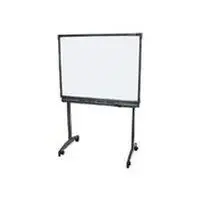
This interactive whiteboard on a mobile stand is a native Revit family featuring a clean, modern design for professional spaces. The unit comprises a rectangular interactive display surface mounted onto a functional, height-adjustable mobile floor stand. Its frame is finished in a neutral black, contrasting with the stark white active screen area. The stand is supported by two vertical columns that terminate in a splayed base, each equipped with heavy-duty castors for easy repositioning within a workspace. The overall aesthetic is utilitarian and minimalist, prioritising clean lines and clear geometry. It is designed to integrate seamlessly into contemporary office environments, classrooms, and collaborative meeting spaces, providing a realistic representation of modern presentation hardware.
The download is a 256 KB file containing a Revit family (.rfa). Load it into a project from the Insert tab with Load Family, then place it like any other component of its category; it schedules and tags with the rest of your model.
In Revit, this family is typically placed as a free-standing component. Users can adjust the floor-mounted position within the project environment. It is recommended to manage visibility through dedicated sub-categories to ensure the stand and screen components can be toggled off in plan views if required. Materials are assigned by category, allowing for easy updates to the frame finish or screen surface properties to match project-specific rendering requirements and visual styles.