Loading page…
Revit Family
Access Control Card Reader HID multiCLASS SE
by Dan Huh
About this asset
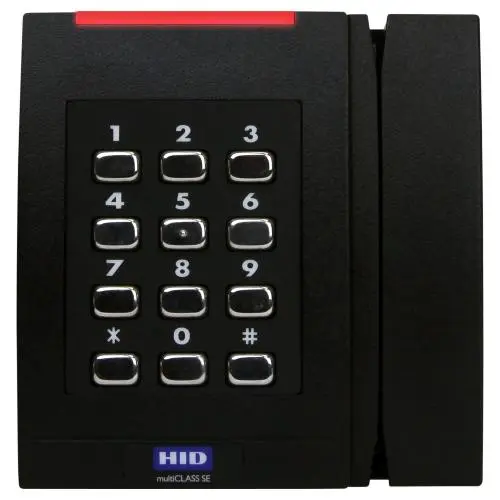
This wall-mounted HID multiCLASS SE card reader is a Revit family featuring a black plastic housing with a metallic keypad. The unit is a compact, vertical-rectangular access control device designed for surface mounting. It features a standard numeric keypad with twelve metallic, rounded-rectangular buttons arranged in a four-by-three grid. A slim, horizontal red LED indicator is positioned at the top of the housing, providing status feedback. The lower section includes a dedicated area for proximity card sensing, marked with the manufacturer branding. The overall aesthetic is functional and minimalist, utilizing a matte-black finish that integrates discreetly into modern building lobbies, secure corridors, or entrance points where electronic security is required.
The download is a 758 KB file containing a Revit family (.rfa). Load it into a project from the Insert tab with Load Family, then place it like any other component of its category; it schedules and tags with the rest of your model.
In Revit, this family is typically deployed as a wall-hosted component. Users should place the device on vertical surfaces near door entries. The family includes necessary electrical connection points for integration into security system schedules and low-voltage wiring diagrams. It is recommended to use the native instance parameters to align the device at a standard height for user interaction. Ensure that the associated security system family is loaded into the project to allow for proper tagging and circuiting within the electrical model.