Loading page…
Revit Family
Shadow Box Detail Component
by Seth Burney
About this asset
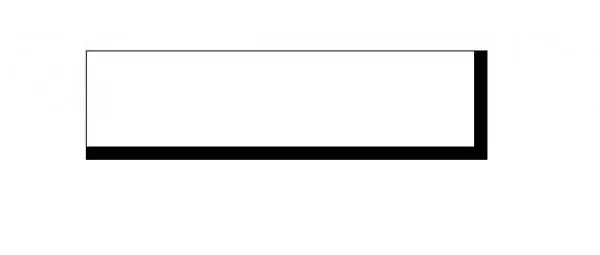
This Revit detail component provides a standard 2D shadow box profile for use in construction documentation and drafting views. The shadow box is a line-based 2D detail component designed for standard Revit drafting environments. It features a clean, rectangular profile with thickened line weights on the bottom and right edges to simulate a depth-casting shadow effect. The geometry is lightweight, consisting of simple line work that maintains clear visibility across various scales, from 1:5 to 1:50. It is intended to be placed directly into drafting views or detail sections, providing a consistent graphical representation of shadow box elements without the overhead of complex 3D geometry or nested families.
The download is a 205 KB file containing a Revit family (.rfa). Load it into a project from the Insert tab with Load Family, then place it like any other component of its category; it schedules and tags with the rest of your model.
Load this detail component into your Revit project and access it via the Detail Component tool in the Annotate tab. It behaves as a standard 2D family, allowing for easy placement along lines or edges within your drafting views. Because it is a line-based family, you can adjust its length by clicking and dragging the endpoints. Ensure your project line weights are correctly configured to render the varying line thicknesses as intended for your specific printing scale.
Architects and technicians will find this component essential for quickly detailing wall sections, window reveals, and architectural features where a crisp, professional shadow line is required. It is particularly useful for enhancing the legibility of construction documents in residential and commercial projects. Search for this asset when drafting wall assembly details, facade sections, or interior joinery drawings that require standardized graphic notation. It pairs effectively with other 2D drafting components to maintain a cohesive visual language throughout your entire project documentation set.