Loading page…
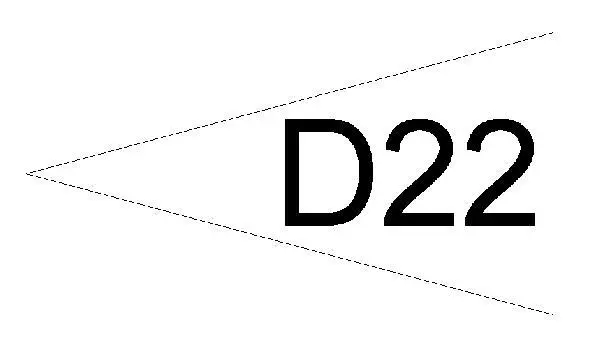
Revit Family
Keynote Arrow Annotation Symbol
by Leena Ha
About this asset
This Revit family provides a standard keynote arrow annotation symbol designed to improve clarity in construction documentation sets. The keynote arrow is a clean, minimalist 2D annotation symbol developed for clear technical communication on architectural and engineering drawings. It consists of a simple, triangular pointer integrated with a text placeholder, allowing for rapid identification of specific materials or assembly details. The geometry is lightweight and designed to maintain line weight consistency across varying scales, ensuring that the keynote remains legible whether printed on A3 or large-format sheets. It provides a functional, neutral aesthetic that integrates seamlessly with existing office standards and project-specific documentation requirements, supporting precise cross-referencing within a drawing package.
The download is a 113 KB file containing a Revit family (.rfa). Load it into a project from the Insert tab with Load Family, then place it like any other component of its category; it schedules and tags with the rest of your model.
To implement this family, load the RFA file into your project template or active file via the Insert tab. Once loaded, it can be placed directly onto plan, section, or elevation views as a standard annotation symbol. The family is designed to be easily scalable and adjustable to match existing project text styles, allowing users to modify the text label parameters to align with specific specification codes or internal project numbering systems, ensuring consistency across all documentation.