Loading page…
Revit Family
Graphic Scale 1-16 Architectural Annotation
by Jisi Chen
About this asset
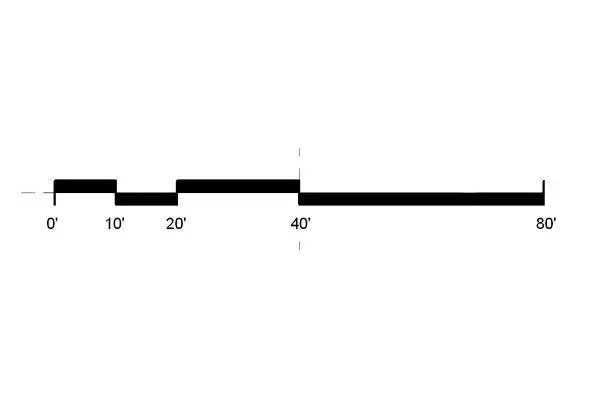
This Revit graphic scale annotation family provides a precise 1/16 inch architectural scale marker for construction documents. Designed for clarity in construction sets, this graphic scale annotation features a high-contrast, filled-black bar configuration. It displays primary increments at 0, 10, 20, 40, and 80 feet, specifically calibrated for 1/16 inch architectural drawing scales. The geometry is clean and minimalist, prioritising legibility when printed at reduced scales or displayed on digital plan sheets. The family includes precise alignment markers to assist with consistent placement across multiple sheets. Its simplified, bold aesthetic ensures that the scale remains readable even when overlaid on dense site plans or complex floor plan drawings.
The download is a 72 KB file containing a Revit family (.rfa). Load it into a project from the Insert tab with Load Family, then place it like any other component of its category; it schedules and tags with the rest of your model.
To integrate this into a project, load the RFA file into the Revit project environment and access it via the Annotate tab. Once placed on a sheet, the annotation maintains its scale-specific properties, ensuring that the graphic representation remains accurate relative to the viewport scale. Professionals should ensure the family is mapped to the correct annotation category to allow for global visibility overrides. It serves as a static visual reference for contractors and consultants to quickly gauge distances without needing to measure directly.