Loading page…
Revit Family
A1 Custom Title Block Sheet
by Eric Battino
About this asset
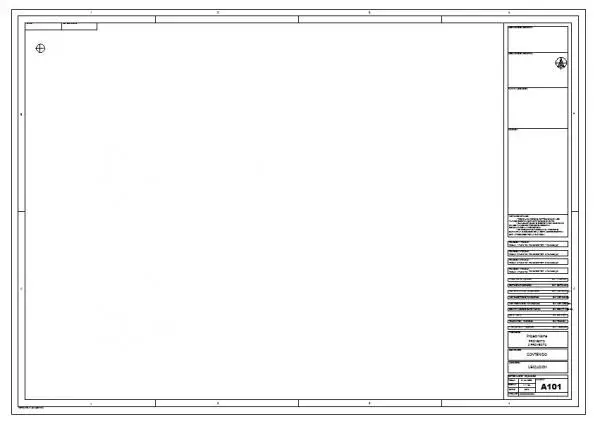
This A1 custom title block Revit family provides a professional sheet layout with a structured right-hand information sidebar. This A1 title block features a clean, professional layout designed for standard architectural documentation. It includes a comprehensive right-hand information column, providing designated fields for project details, sheet numbering, revision history, and consultant information. The border is defined by precise linework, incorporating a clear margin for printing and binding purposes. A dedicated area for the sheet number is located at the bottom right, ensuring consistent project indexing. The overall composition is minimalist and functional, prioritising clarity and readability for construction documentation, suitable for a wide range of architectural and engineering project deliverables.
The download is a 328 KB file containing a Revit family (.rfa). Load it into a project from the Insert tab with Load Family, then place it like any other component of its category; it schedules and tags with the rest of your model.
To implement this title block, load the RFA file into your current Revit project as a new sheet family. Once loaded, you can assign it to any sheet view within the project browser. The parameters are pre-configured to allow for easy data entry through the sheet properties or directly within the family labels. Ensure your project information is correctly populated in the project settings to allow the auto-filling of fields across all sheets using this template.