Loading page…
Revit Family
Hexagonal Steel Nut
by Blair Ellis
About this asset
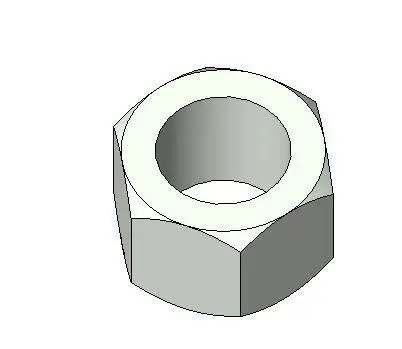
This standard hexagonal steel nut is a native Revit family component, ideal for detailed structural assemblies and fastener modelling. The component is a classic hexagonal nut, featuring a standard six-sided exterior profile with a central threaded cylindrical bore. Its geometry is clean and simplified, suitable for BIM environments where efficient file size and clear visual representation are required. The exterior surfaces are rendered with a neutral metallic finish, reflecting its utility as a standard industrial fastener. This family is designed for high-accuracy placement in structural documentation, providing a realistic representation of mechanical fixings found in steelwork connections, machinery, or general site detailing within a larger Revit model.
The download is a 338 KB file containing a Revit family (.rfa). Load it into a project from the Insert tab with Load Family, then place it like any other component of its category; it schedules and tags with the rest of your model.
In Revit, this component functions as a loadable family that can be inserted into projects or nested within more complex structural connection families. Users can place the nut along defined reference planes or axes to represent specific bolt assemblies. Since it is a native RFA file, it supports standard material parameter assignments, allowing for visual differentiation when rendered or presented in shaded views. It is best used as a recurring component for documentation or high-detail structural coordination.