Loading page…
Revit Family
Standard Manual Steel Wheelchair
by Abdullah Tahseen
About this asset
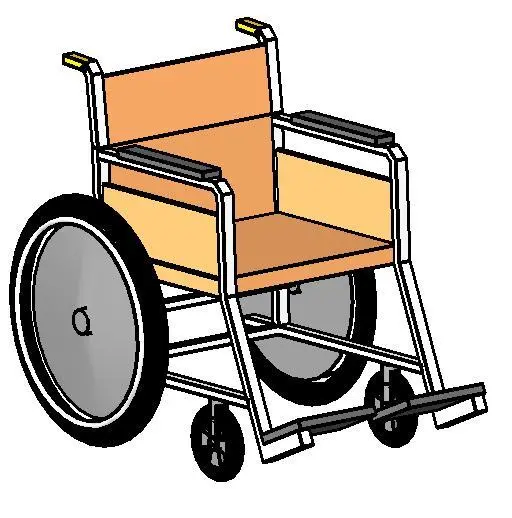
This manual steel wheelchair Revit family features articulated tubular framing, dual rear wheels, front casters, and padded seat panels. Constructed around a tubular steel framework, this mobility asset depicts a standard hospital wheelchair. The unit includes a wide seat and supportive backrest rendered in light tan upholstery, flanked by low side barrier panels and padded black armrests. Dual large rear push wheels feature solid grey disc covers and perimeter hand rims, paired with pivoting front caster assemblies for directional clearance. Angled footrests extend forward from the lower base, while twin rear push handles feature capped ergonomic grips for attendant propulsion.
The download is a 399 KB file containing a Revit family (.rfa). Load it into a project from the Insert tab with Load Family, then place it like any other component of its category; it schedules and tags with the rest of your model.
Delivered as a lightweight specialty equipment Revit family, the component inserts directly into project environments without bloating file size. Users can place the unit on active floor levels, align it within accessibility turning circles, or nest it into hospital room equipment layouts. Standard subcategories facilitate independent visibility and graphic overrides across architectural plans, interior elevations, and scheduled medical equipment lists.
This asset serves healthcare planning, accessibility compliance reviews, and clinical fit-out visualisations. It fits accurately within hospital patient suites, emergency room intake areas, rehabilitation clinics, and accessible toilet circulation diagrams. Planners and specifiers frequently combine this unit with grab bars, transfer benches, and ADA-compliant clearance zones in medical centres, nursing homes, assisted living facilities, and inclusive commercial public restrooms.