Loading page…
Revit Family
Parametric Face-Based Pedestrian Crossroads Marking
by Olivia Sklyarova
About this asset
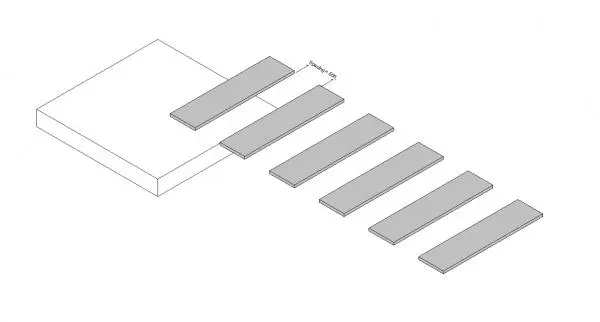
This parametric face-based pedestrian crossroads marking for Revit enables efficient layout of zebra crossings in site plans. Designed as a flexible, face-based Revit family, this pedestrian crossroads marking system provides a clean, geometric representation of standard zebra crossing stripes. The component features a parametric structure, allowing users to adjust the spacing between each rectangular stripe to match specific site requirements or local traffic regulations. It is intended to be hosted directly onto site topography or floor surfaces, ensuring it conforms to the ground plane within the model. The geometry is simple and lightweight, maintaining high performance in large-scale masterplan files while providing clear visual documentation for site-wide traffic management plans.
The download is a 328 KB file containing a Revit family (.rfa). Load it into a project from the Insert tab with Load Family, then place it like any other component of its category; it schedules and tags with the rest of your model.
To implement this family, load the component into your project and use the 'Place on Face' command to apply it to your site topography or road surface. Once placed, utilise the instance parameters within the properties palette to adjust the spacing between stripes to suit your specific site geometry. The family is designed to be lightweight, making it suitable for large masterplan environments without impacting model performance or increasing file size significantly during the design development phases.