Loading page…
Revit Family
3D Tree - Acacia
by Cole Johnson
About this asset
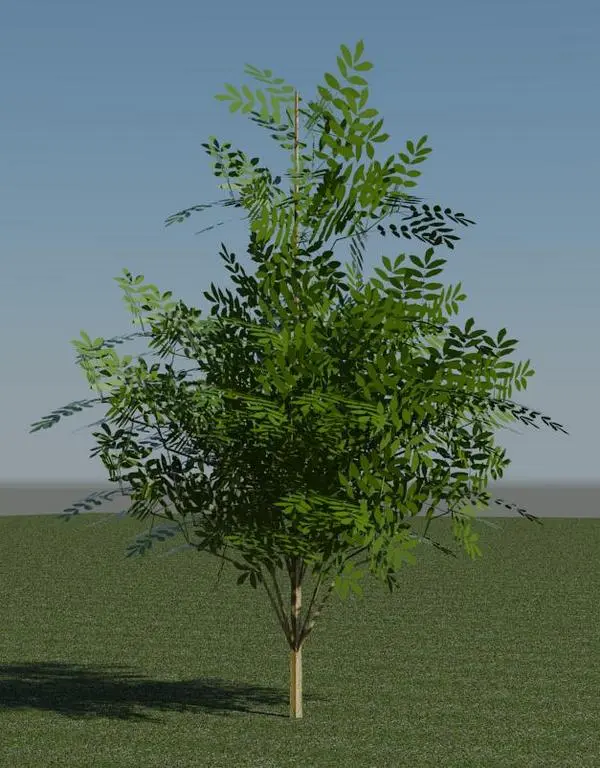
This Acacia tree is a native Revit planting family designed for site plans and exterior visualisations with a natural form. The Acacia tree model presents a realistic representation of the species, featuring a dense, layered canopy of fine, pinnate foliage. The structure is depicted with a slender, upright trunk that supports a wide, spreading crown, typical of the acacia genus. The foliage is rendered in a naturalistic green, providing sufficient detail for mid-range site views without overly complex geometry. This family is balanced to maintain performance in larger site models while offering enough visual fidelity for standard exterior renderings, making it a functional addition to professional landscape documentation and site planning.
The download is a 297 KB file containing a Revit family (.rfa). Load it into a project from the Insert tab with Load Family, then place it like any other component of its category; it schedules and tags with the rest of your model.
In Revit, this family is intended for placement within site plans or 3D views using the component tool. As a standard planting family, it integrates directly into the project environment, allowing for mass placement across topography. Users can adjust the overall height and spread parameters within the type properties to suit the specific scale of the site design. For rendering, the model relies on the assigned material definitions, which should be verified against project-specific lighting and shadow settings to ensure consistent visual output.