Loading page…
Revit Family
Wall-Mounted Projection Screen
by Adrian Volz
About this asset
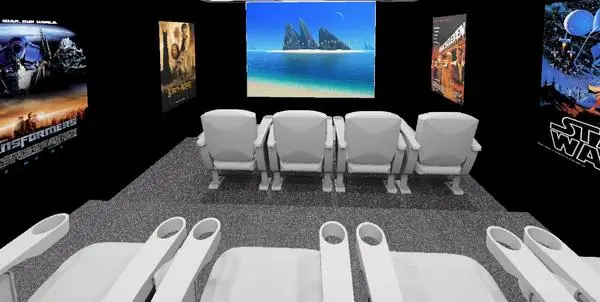
This wall-mounted projection screen is a native Revit family designed for media rooms, featuring a clean, minimalist white finish. The projection screen is a simple, rectangular surface designed for wall-mounted installation. It features a flat, matte-white display area suitable for high-definition media playback, framed by a subtle, integrated border. The model is presented as a clean, geometric form, optimised for interior visualisations where a dedicated media or home cinema setup is required. Its proportions are standard for a widescreen aspect ratio, ensuring it fits naturally on a feature wall above media consoles or within custom joinery. The component is lightweight, maintaining a minimal profile that does not distract from the surrounding interior design.
The download is a 174 KB file containing a Revit family (.rfa). Load it into a project from the Insert tab with Load Family, then place it like any other component of its category; it schedules and tags with the rest of your model.
In Revit, this component is placed as a wall-hosted family, allowing for precise positioning on vertical surfaces. Users can utilise the alignment tools to centre the screen relative to seating arrangements or wall features. The material parameters can be adjusted to simulate different screen gain surfaces or to add custom textures for specific rendering requirements. Because it is a native family, it integrates seamlessly into floor plans and sections, appearing as a standard annotation or symbolic line work depending on the project visibility settings.