Loading page…
Revit Family
MCC Face Plate – ATS Controller
by Jean Amador
About this asset
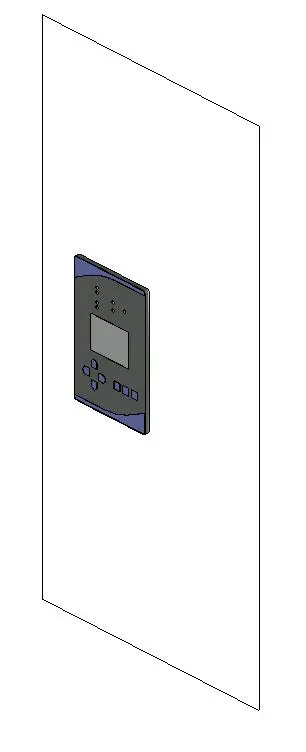
This MCC ATS face plate is a wall-hosted Revit family component featuring a detailed digital interface for power management. The MCC ATS face plate represents a standard automatic transfer switch control interface designed for integration into electrical switchgear or wall-mounted panels. The unit features a rectangular housing with a central display screen, a directional navigation keypad, and a series of function buttons. The aesthetic is strictly industrial, finished in a neutral grey with blue accent detailing on the frame. The geometry is clean and simplified for efficient BIM project performance, ensuring clear representation in both 3D views and 2D documentation without unnecessary polygon density that could slow down large-scale electrical model files.
The download is a 676 KB file containing a Revit family (.rfa). Load it into a project from the Insert tab with Load Family, then place it like any other component of its category; it schedules and tags with the rest of your model.
Engineers and designers can insert this Revit family directly onto a wall or panel face using the native wall-hosted functionality. The component is designed to be placed within electrical rooms or control closets. Users should map the parameters to their project scheduling requirements to ensure accurate reporting. Given its role as a control interface, it is best placed at standard ergonomic heights for maintenance access, ensuring that the visual representation remains consistent across all project phases from schematic design through to construction documentation.