Loading page…
Revit Family
Range Symbol Annotation
by Ji Min Lee
About this asset
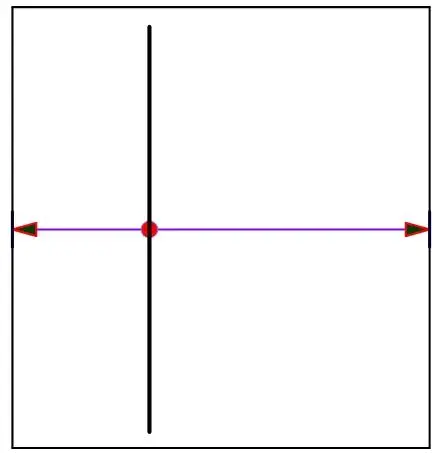
This Revit family annotation symbol provides a clear, scalable indicator for defining ranges within architectural documentation. The Range Symbol is a functional 2D annotation family designed for Revit. It features a clean, schematic graphic representation consisting of a primary vertical line bisected by a horizontal line that terminates in directional arrowheads. A central circular node marks the intersection point, providing a clear visual anchor for dimensioning or designating specific spatial ranges on floor plans or section drawings. The geometry is lightweight and vector-based, ensuring it remains legible at various scales while maintaining consistent line weights throughout the documentation set, irrespective of the project's overall scale or view settings.
The download is a 287 KB file containing a Revit family (.rfa). Load it into a project from the Insert tab with Load Family, then place it like any other component of its category; it schedules and tags with the rest of your model.
Users can load this RFA file directly into a project or template file as a standard annotation family. Once loaded, it can be placed in any drafting view, floor plan, or section view. The symbol is designed to be easily manipulated using standard Revit move and rotate commands. Because it is a 2D family, it does not occupy 3D space, making it ideal for overlaying onto construction documents without interfering with the model's physical geometry or calculation parameters.
This symbol is essential for architects and interior designers producing detailed construction documentation. It is commonly utilized in floor plans to denote specific functional ranges, such as clearance zones, equipment reach, or operational areas. It pairs well with other standard annotation families to clarify complex layouts in residential, office, or hospitality projects. Professionals often search for this asset when creating clear, legible site or interior plans where spatial constraints or operational boundaries must be explicitly communicated to contractors and stakeholders during the design development stage.