Loading page…
Revit Family
Minimalist North Point Symbol
by Valeria Cedillos
About this asset
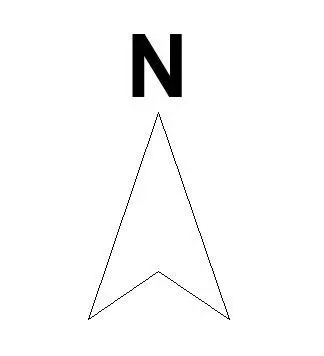
This minimalist North Point symbol is a clean, essential Revit annotation family designed for clear orientation on site plans. This North Point symbol features a sharp, elongated triangular arrow rendered with precise line work. It is topped by a bold, sans-serif letter N, creating a highly legible graphic for architectural documentation. The geometry is intentionally stripped of unnecessary ornamentation, adhering to a minimalist aesthetic that prevents visual clutter on busy site plans or master planning sheets. Because it is a standard annotation family, the proportions are balanced to maintain clarity at typical scales, ensuring the direction of north remains immediately identifiable for consultants, contractors, and local planning authorities during the design process.
The download is a 399 KB file containing a Revit family (.rfa). Load it into a project from the Insert tab with Load Family, then place it like any other component of its category; it schedules and tags with the rest of your model.
To use this family, load the file into your Revit project and place it directly onto your site plan or floor plan views. As an annotation object, it will maintain its relative scale regardless of the view scale, ensuring consistent legibility across all documentation sets. Users can rotate the symbol manually to align with the true or project north orientation as required by the site context. It is compatible with all standard project templates and can be easily managed via the object styles menu.